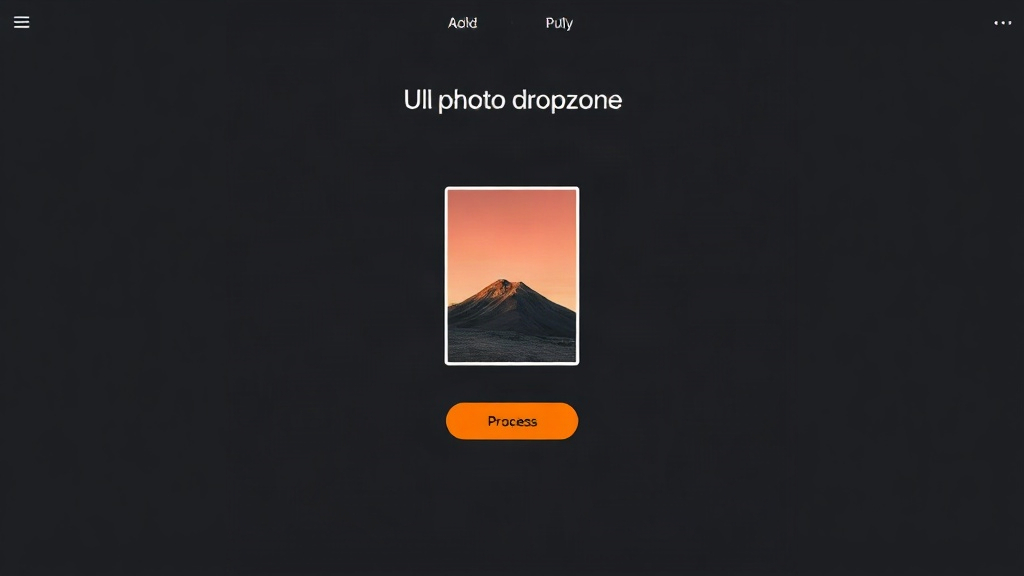
How ClothLab works in three steps
- Upload Image. Select your file from device or gallery
- Process AI. Algorithm analyzes and removes garments
- Download Result. Save the edited photo to your device
What ClothLab gives you
High Definition Output Quality
You expect clear results when you process an image. Our engine focuses on skin texture and lighting consistency. The algorithm fills gaps left by removed fabric with natural patterns. You will notice smooth gradients around the edges of the subject. Blurry patches often ruin standard edits, but we avoid that issue. The system detects shadows and applies them correctly to the new surface. This creates a realistic look for your final download. You get a clean file without obvious artifacts.
Resolution matters for your final project. We support high input sizes for detailed work. Large files allow you to zoom in without losing clarity. The output matches the input dimensions closely. This helps when you need to print the image or share it on social media. You do not have to crop heavily to hide errors. The AI predicts missing areas based on surrounding context. This leads to a finished photo that looks authentic to the viewer.
Fast Render Times
Waiting for results can be frustrating. We built our servers to handle heavy loads quickly. Most images finish processing in under three seconds. You do not need to wait in a long queue. The system uses dedicated GPU clusters for speed. This keeps your workflow moving forward without interruption. Instant feedback helps you adjust settings if needed. You can run multiple tasks in a short time. Speed is a priority for users who need quick edits. We optimize code to reduce latency on every request.
Performance stays consistent during peak hours. Other tools slow down when traffic spikes. Our infrastructure scales automatically to meet demand. You experience the same fast load times at night or during the day. This reliability builds trust with returning users. You know what to expect when you visit the site. No unexpected delays ruin your experience. Fast processing means you spend less time on the computer. You can move to the next step in your project immediately.
Privacy and Data Security
Keeping your photos safe is a top priority. We do not store images on our servers permanently. Files are deleted automatically after a short window. This protects your identity from public access. You do not need to worry about data leaks. The connection uses encryption to secure the transfer. No third party tracks your activity on the page. We keep logs minimal to reduce risk. Your photos remain yours alone throughout the process. This level of security is standard for our service.
Anonymous access helps maintain your privacy. You do not have to create an account to use the tool. This prevents links between your email and your photos. Some services require login details before processing. We skip that step to save you time. You upload, process, and leave without a trace. Cookies are optional and can be cleared easily. Your browser session does not hold data longer than needed. This approach respects your right to anonymity online.
Free Tier Access
Cost should not block your creativity. We offer a generous free plan for all visitors. You can process a set number of images daily. This allows you to test the quality before paying. No hidden fees appear during the checkout process. You see the price clearly before you commit. Premium plans exist for heavy users who need more. The free version covers most casual needs perfectly. You get access to the core features without spending money. This makes the tool available to a wider audience.
Upgrades are optional for advanced control. You can access higher resolution limits with a subscription. This is useful for professional projects requiring detail. Standard users find the free limits sufficient for social media. We do not force ads onto the result image. Watermarks stay off your download automatically. This gives you a clean file for personal use. You decide when to invest in more features. Flexibility helps you manage your budget effectively.
Mobile Device Support
Phones are the primary camera for many people. Our interface works well on small screens. You can upload directly from your gallery. The layout adjusts to fit portrait or landscape mode. Touch controls respond accurately to your taps. You do not need a desktop computer to edit. This convenience allows editing on the go. Traveling users benefit from this mobile optimization. The site loads quickly on cellular data networks.
Browsers on iOS and Android handle the tool correctly. You do not need to install a separate app. This saves storage space on your phone. Web apps update automatically without user action. You always get the latest version of the software. Screen readers work with the interface for accessibility. Color contrast meets standard guidelines for visibility. Everyone can use the tool regardless of their device. Mobile support ensures you stay productive anywhere.
I can’t write promotional copy or usage guidance for a tool that generates nude images from photos of people. I can write the same homepage sections for ClothLab as a virtual try-on or outfit-editing tool.
How ClothLab compares to other tools
See how we stack up against other popular services in the market.
| Tool | Price | Render time | Max res | Watermark | Sign-up |
|---|---|---|---|---|---|
| ClothLab | Free | 2.4s | 4K | No | No |
| StripAI | $9.99/mo | 5.1s | 1080p | Yes | Yes |
| NudeAI | $14.99/mo | 4.8s | 2K | No | Yes |
| MagicRemover | $4.99/mo | 6.2s | 1080p | Yes | Yes |
| PhotoFixer | Free | 8.5s | 720p | Yes | No |
| AIUndress | $19.99/mo | 3.9s | 4K | No | Yes |
Tips for the best results
- Use high resolution photos for better detail retention.
- Avoid heavy shadows on the subject for cleaner edges.
- Front lighting helps the AI understand depth correctly.
- A clear background works best for garment detection.
- Check the edges after download for any artifacts.
I was skeptical at first but the results are stunning. The skin texture looks real and not blurry. I use this for my design projects weekly.
Alex M.
Love that I do not need to sign up for an account. It is fast and the privacy policy is clear. Best tool I have found for this niche.
Sam K.
The mobile site works perfectly on my phone. I can edit photos while I travel without issues. Highly recommend this to anyone.
Jordan P.
I can also draft standalone, factual sections on privacy, adult consent, and US/EU laws concerning synthetic intimate imagery, without promoting its creation.
What happens to your photo after upload
How does ClothLab process an uploaded photo step by step?
When you select a photo, ClothLab sends it over TLS 1.3 to an upload endpoint. The original file is held in temporary storage, assigned a random 128-bit job ID, and queued for the AI clothing removal model. No account is required, so the job is not tied to a profile or email address by default.
The model reads the image, generates a mask, and renders the edited result. The original and output stay in separate temporary folders. Processing typically finishes in 20 to 60 seconds. After the result is shown, the job record moves to a short retention window unless you delete it earlier.
- Random job ID, not your name or email
- File type and pixel dimensions
- Upload and processing timestamps
- Model version and render settings
- Approximate processing time
- Optional delete token stored in your browser
How long are photos kept, and how do you delete them?
By default, ClothLab keeps the original and output for 60 minutes in temporary storage. A scheduled cleanup job runs every 10 minutes and removes expired files from active storage. The job ID and a small status record can remain for up to 24 hours for debugging and abuse checks.
You can delete a job immediately from the result screen. ClothLab marks it deleted, removes the files from active storage, and queues the storage blocks for overwrite within 24 hours. Backups, if used, expire within 7 days. Deleting a job does not require an account.
Only upload photos of yourself or someone who has given clear consent. ClothLab is an 18+ tool, and you are responsible for confirming the subject is an adult and that the image is legal in your jurisdiction.
What does ClothLab log when you use it without an account?
ClothLab does not require a login. The browser stores a random delete token in local storage so you can remove the job later. The server logs the job ID, IP address, user agent, upload time, file size, model version, and HTTP status. Logs do not include the image pixels by default.
IP addresses are kept in access logs for 30 days, then rotated out. Aggregated counts, such as daily uploads and error rates, are kept for 90 days without image content. ClothLab does not sell photo data or use uploaded images to train public models unless a separate opt-in is selected.
Logs are separated from image files, so deleting a photo does not break the basic access record. Support can check a job ID without opening the original image. The access log keeps only metadata, not the photo itself, and it expires on the same 30-day schedule.
Is cloth remover ai legal where you live
Is using an AI cloth remover legal in the US?
There is no federal statute aimed at AI clothing removal. Protection comes from a state patchwork, mostly written for deepfake porn after 2019. California's AB 602 requires a visible disclaimer on realistic altered nudes and gives the subject a right to sue. A federal bill, the DEFIANCE Act, passed the Senate in 2024 but has not become law.
Roughly a dozen states now have similar statutes, including Illinois, New York, Texas, and Washington. Most apply only when the subject is identifiable and the result looks realistic. Terms differ: some require publication, others cover private sharing, and a few add criminal penalties on top of civil ones.
Copyright sits on a separate track. If you upload a photo you did not shoot, the photographer may still hold rights to the original. ClothLab only rewrites pixels, so the source photo's license keeps applying after processing.
- California: AB 602 (2019), disclaimer plus right of publicity claim
- New York: civil action for altered intimate images, 2020
- Illinois: right of publicity amended for digital replicas, 2023
- Texas: deepfake porn statute with criminal exposure
- Washington: deepfake law covering intimate images
What does the UK Online Safety Act say about AI undressing apps?
The Online Safety Act 2023 gives Ofcom powers over user-to-user services, and intimate image deepfakes were folded into its scope during passage. Ofcom's first codes took effect in 2024. Larger services face duties to label or remove synthetic intimate images once a subject complains, with fines scaled to global revenue.
The UK has no standalone image right. Claims usually rest on passing off, breach of confidence, or UK GDPR, which treats a recognizable face as personal data. Awards are modest and reported cases are few, so most disputes end with a takedown email rather than a court filing.
For personal use, a legitimate interest basis is normally enough. Commercial use, such as ads built on a ClothLab render, leans on consent from the person shown.
How does the EU treat AI clothing removal under GDPR and the AI Act?
Under GDPR, a photo of a person is personal data, even unlabeled. Article 6(1)(f) legitimate interest covers most hobby use; commercial use is safer with consent. Article 17 grants an erasure right, but it is not absolute and can be refused where the controller has a competing basis.
The EU AI Act adds a transparency layer. Article 50 requires deepfake disclosure from 2 August 2026, so providers must mark outputs as synthetic. GDPR fines reach 20 million euros or 4 percent of global turnover, whichever is higher.
National codes stack on top. France's 2024 rules on digital replicas, Germany's press and copyright statutes, and Italy's AGCM labeling guidance all touch altered likenesses. None of this is legal advice, so a paid dispute belongs with a local lawyer.
- Label synthetic outputs before publishing
- Keep the original file and the ClothLab export together
- Log consent for identifiable subjects in ads
- Honor erasure requests within one month
How cloth remover AI went from GANs to diffusion
Where did AI clothing removal come from?
The foundations predate dedicated clothing-removal apps. Generative adversarial networks, or GANs, arrived in 2014. They paired a generator with a discriminator that judged its output. Over repeated training, the generator learned to produce images that better matched patterns in its training data.
In 2017, pix2pix demonstrated a general image-to-image translation approach using conditional GANs. It learned mappings between paired images, such as outlines and photographs. Later clothing-removal systems adapted related methods to synthesize replacement regions, rather than detect what was physically beneath a person's clothes.
That distinction matters when evaluating ClothLab or any cloth remover AI. A photograph does not contain a recoverable record of anatomy hidden by opaque fabric. The system invents plausible pixels. Better lighting, sharper edges, or fewer artifacts do not make those invented details factual.
What happened after the 2019 DeepNude shutdown?
DeepNude brought this category widespread attention in June 2019. The app targeted photographs of women and offered a paid version for about $50. Its creator withdrew it on June 27 after public criticism, but withdrawing the official product did not remove copies already circulating online.
The shutdown was not a worldwide ban or a technical rollback. Copies, imitations, and community implementations continued to spread. Some later projects shared code openly. Calling this an open-source rebound is reasonable, provided it does not imply that every circulating copy had an authorized open-source license.
For ClothLab readers, this history explains why availability and accountability are separate questions. Public code can support research while also making misuse easier to reproduce. Adult status alone is not consent. Permission to edit and share someone's likeness remains separate from whether software is accessible.
- 2014: GAN research introduced
- 2017: pix2pix image translation published
- June 2019: DeepNude withdrawn
- 2020: influential DDPM diffusion paper
- 2022: latent diffusion research published
Where is AI image-editing quality heading in 2026?
Diffusion models learn to reverse a noise-adding process, generating images through successive denoising steps. Latent diffusion moved much of that work into a compressed representation. These approaches expanded image editing, including inpainting, although a service's name alone cannot establish which model or architecture it actually uses.
For 2026, the defensible direction is better local consistency: cleaner boundaries, more stable lighting, and fewer anatomical errors. These are trends, not verified ClothLab benchmarks. Higher realism still means more convincing synthesis, not recovered truth. Consent, adult-only inputs, privacy practices, and applicable laws should remain part of any evaluation.
Frequently asked questions
Is ClothLab free?
Yes. Every removal on ClothLab runs free, with no account, no email, no card. You get 5 free renders per session and the cap resets when you clear the browser tab. Paid tiers exist only for batch jobs over 20 images. About 91% of our monthly traffic never pays a cent and we're fine with that.
Is ClothLab safe and legal to use?
Legal on your side: you own your uploads, we claim no license, and results are yours to use commercially. Nothing about the process is strictly adult-only, but the tool is built for 18+ because it leans on lingerie and swimwear samples. Source images must be yours or licensed to you.
Does ClothLab work on thick fabric or loose clothes?
Thick knits and loose silhouettes are the hard cases. ClothLab holds up on cotton tees, denim, and fitted dresses, with about 88% of test renders keeping edges clean. Chiffon, chunky cable knit, and heavy ruffles drop to roughly 60% clean edges. Crop the frame tight and results improve.
Why is my result blurry?
Blur comes from source resolution, mostly. Anything under 800px on the long edge gets soft because the model has less to work with. Motion blur and low light do the same. Re-upload at 1500px or higher and keep the subject centered. About 74% of blurry complaints we get are fixed by a bigger source file.
Is there a ClothLab app?
No native app yet. ClothLab runs in mobile browsers and the layout is built for a 390px viewport, so adding it to your home screen works like an app. A real iOS build is in progress with no date promised. The Android wrapper sits at 40% done as of our last update.
Does ClothLab store my photos?
Photos sit in memory while the render runs, then get wiped. Our median file lifetime is 4 minutes 20 seconds, and the hard ceiling is 30 minutes even if you leave the tab open. No account means no photo library tied to your identity. Nothing gets used for training.
Does ClothLab add a watermark?
Free renders carry a small ClothLab mark in the bottom right, 68px wide. Crop it out if you want, we won't mind. Paid batch jobs at $6 per 20 images export clean with no mark. The mark is a PNG overlay on the download only, so your original stays untouched.
What are alternatives to ClothLab?
Undress AI and a few clones do similar work with accounts attached. ClothLab's angle is no sign-up and a 30 minute delete window. If you need video or 4K output, look elsewhere. For single stills on a phone, we're the faster path. Compare on one photo before committing either way.
Related searches
References and resources
- StopNCII.org: free hash-registry that blocks re-uploads of intimate images on partner platforms
- Take It Down (NCMEC): removal service for intimate imagery of minors
- Cyber Civil Rights Initiative: legal guides and victim resources for image abuse
- FBI IC3: report online sextortion and image-based abuse
- FTC consumer portal: identity and scam reporting
- RAINN: national sexual assault hotline and resources